What changed
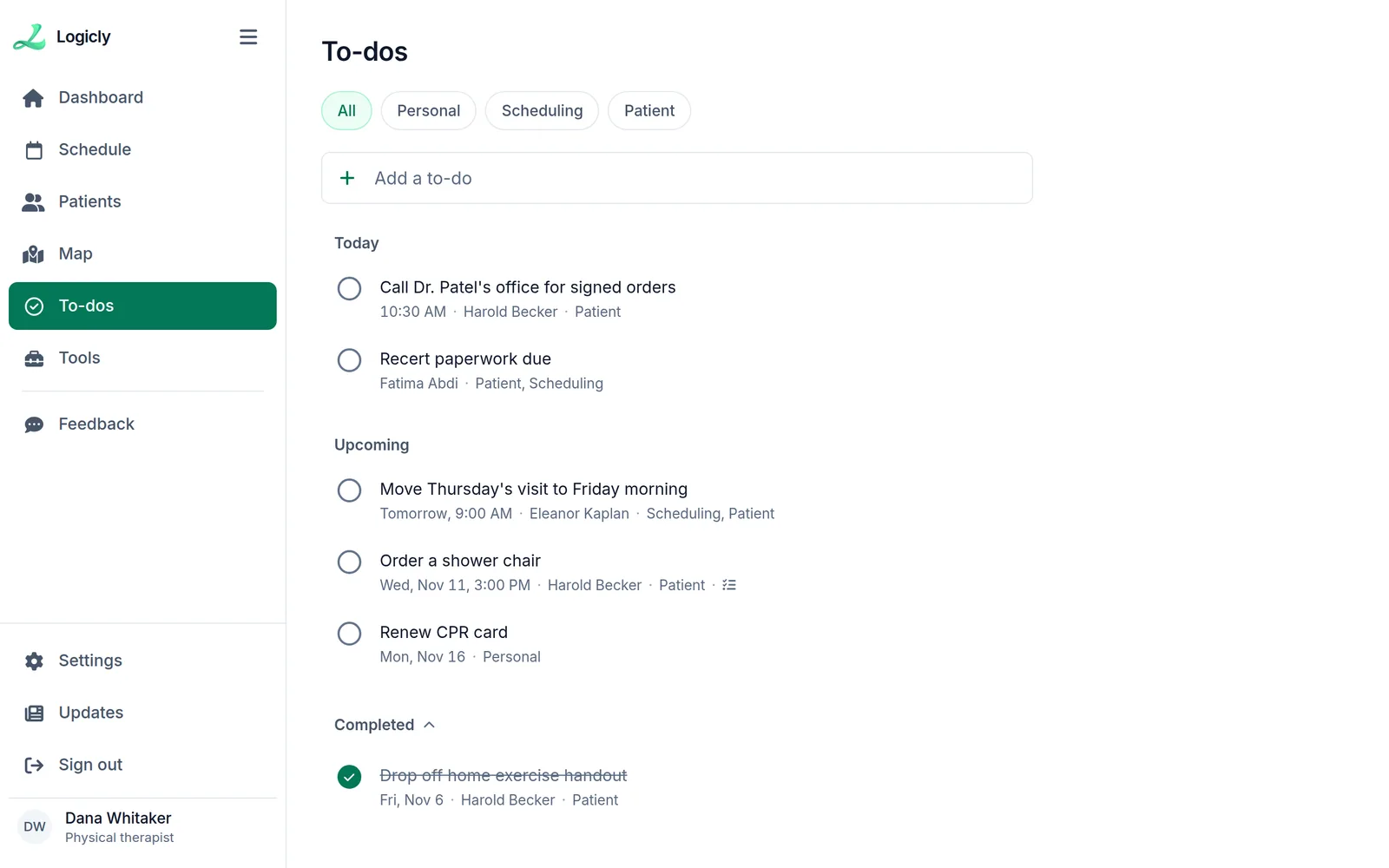
Logicly has a To-dos page, under Map in the menu. It holds the small jobs that used to live on sticky notes: signed orders to chase, a shower chair to order, a CPR card to renew.
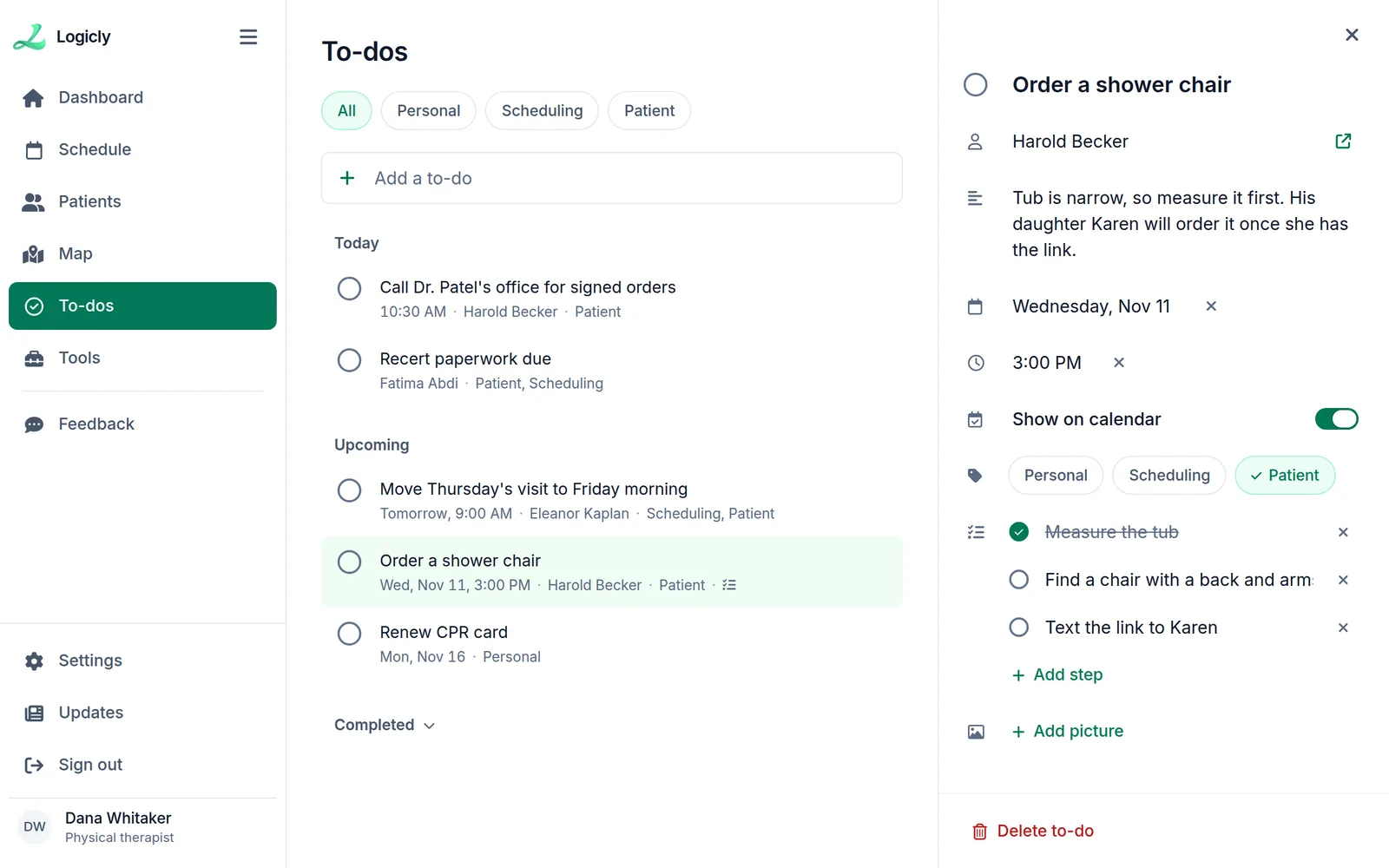
- TagsPatient, Scheduling or Personal, and a filter for each
- WhenA date, and a time if it needs one, using Logicly’s own date and time pickers
- PatientLink a to-do to a patient, and it shows on their To-dos tab too
- Steps and picturesBreak a job into steps, and add a picture, such as the tub you need to measure
What this means for you
Open a patient, and the To-dos tab shows only what you still owe that patient. Tick one off, and the message has Undo in case you ticked the wrong one.
How to add one
- Open To-dos in Logicly, or the To-dos tab on a patient.
- Type the title in Add a to-do.
- Open it to add a date, a time, tags, steps or a picture.