Home Health Scheduling for More Than One Agency
Every agency’s patients, pay and units in one schedule.
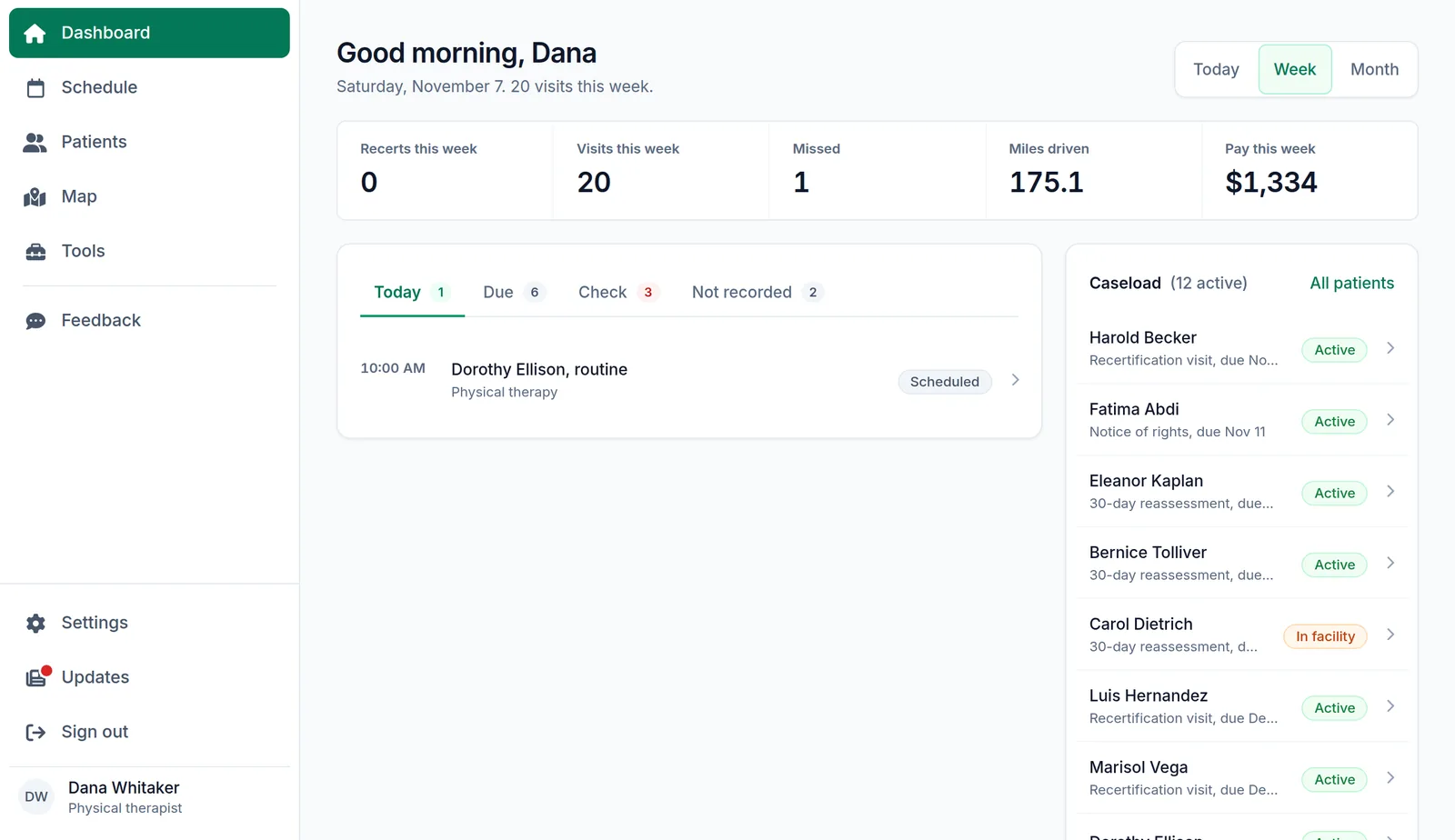
Logicly lets a home health clinician who works for more than one agency keep every agency’s patients on one schedule. Each patient belongs to an agency, each agency keeps its office phone, its pay per visit and how many units it counts for each visit type, and the dashboard shows the day’s, week’s or month’s visits, miles and pay.
1-month free trial · No card to start · HIPAA compliant
What is home health scheduling for more than one agency?
Many home health clinicians take patients from two or three agencies. Logicly keeps them apart where it matters and together where it helps: one schedule and one route for the day, while each patient shows its agency, and each agency keeps its own phone, pay rates and units. The dashboard estimates your pay from each agency’s rates, and you can hide it with one switch.
How does home health scheduling for more than one agency work?
- 1
Add your agencies
In Settings, Agencies, add each agency with its office phone and what it pays for each visit type.
- 2
Check the units
Every agency starts with common values, such as 2 units for a start of care. Change them to what your agency counts.
- 3
Give each patient an agency
Choose the agency on the patient’s record, and the record shows it at the top, beside the phone and the address.
- 4
See your week
The dashboard shows today, this week or this month: visits, missed visits, recerts, miles driven and pay.
Who is this for?
PRN and per-visit clinicians
Know at a glance whose patient it is, which system to open and what the visit pays.
Clinicians with one agency
One agency works the same way: its phone, its pay rates and its units, kept in one place.
How much time does home health scheduling for more than one agency save?
Working for several agencies means several phone numbers, several pay rates and several ways of counting units. Keeping them in Logicly saves looking them up, and the dashboard adds up the week for you.
Is home health scheduling for more than one agency HIPAA compliant?
Yes. Everything is encrypted where it is stored and while it travels, and every change to a patient or a visit is kept in an audit trail. Logicly signs you out after 15 minutes without activity, or locks if you use Face ID, and you sign a Business Associate Agreement in the app before you add a patient. It is part of the plan, at no extra cost.
Frequently asked questions
- How does Logicly work out my pay?
- From the pay per visit you enter for each agency and visit type. The dashboard shows an estimate for the day, week or month. Turn off Show pay on the dashboard in Settings, Agencies if you would rather not see it.
- What are units?
- Some agencies count productivity in units, such as 2 for a start of care and 1 for a routine visit. Logicly keeps how many units each agency counts for each visit type, starting from common values you can change.
- Does each agency need its own account?
- No. One Logicly account holds every agency you work for, on one schedule. The plan is per clinician, not per agency.
- Can my agency see my schedule?
- No. Your Logicly account is yours. Agencies do not sign in to it.
Your team deserves better than a spreadsheet.
Start your one-month free trial today. No card is needed to start. Set up takes less than 10 minutes — and your first auto-generated schedule will make you wonder why you waited.
Free for a month — $24/month after that. No contracts. Cancel anytime.
Reviewed by Reza, OTR/L — practicing Occupational Therapist and co-founder of Logicly.Last updated .