What changed
You can sign in to Logicly with Face ID or a fingerprint, on any phone or computer that has one. You no longer type a password on your phone between visits.
With it on, Logicly locks after 15 minutes without activity instead of signing you out, and opens again with a glance, right where you were.
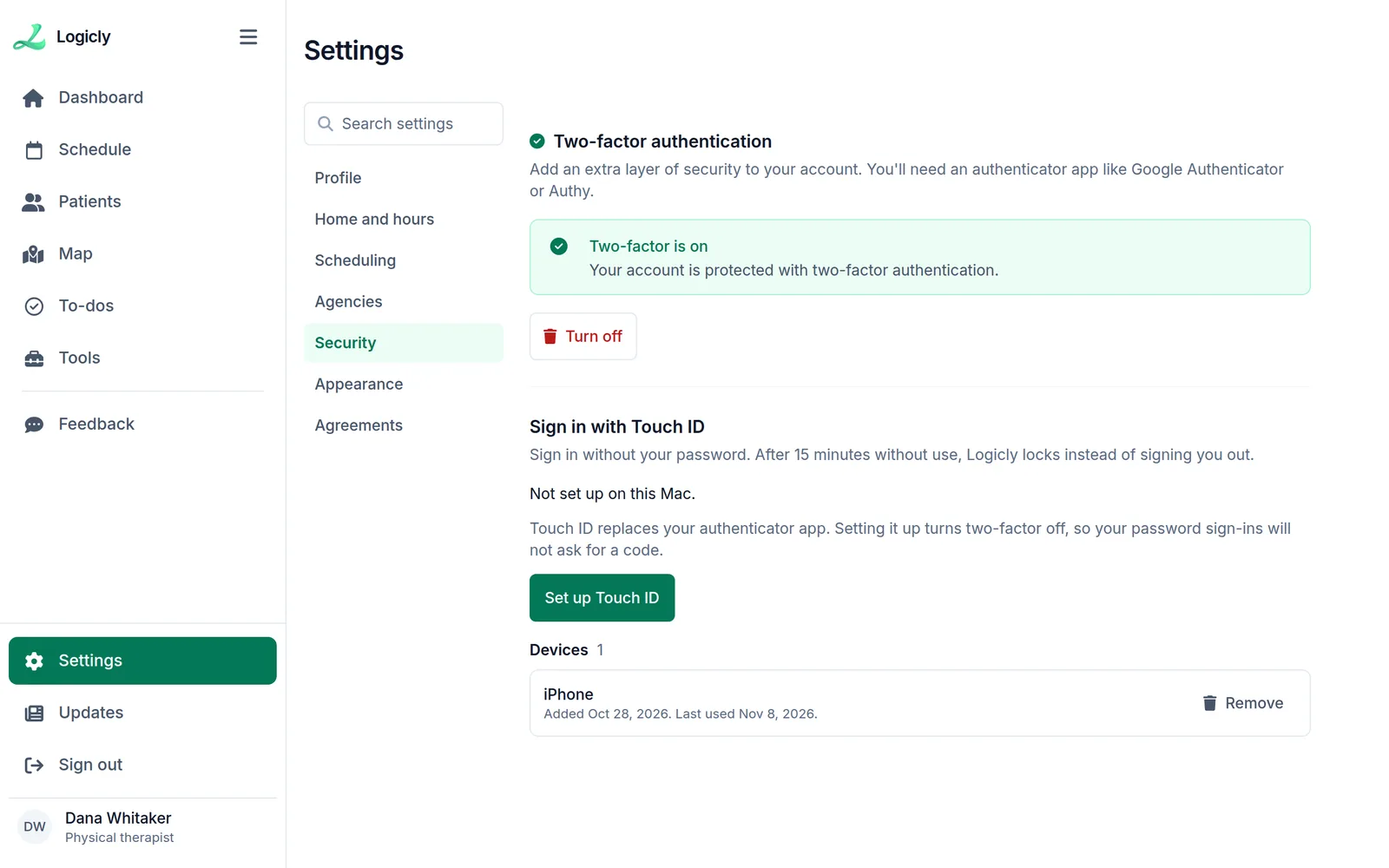
How to turn it on
- Open Logicly on the phone or computer you want to use.
- Go to Settings, then Security.
- Press Set up Face ID (or Touch ID, or your device’s word for it), and confirm with your face or finger.
- Next time, sign in with a glance.
- Each device is set up on its own and listed under Devices, with when it was last used. Remove takes one off.
- Face ID replaces the authenticator app for your sign-ins, so you use one or the other.
- Your face or fingerprint never leaves your device. Logicly only gets its yes.