Skip to content

← Product Updates
Improvement

Schedule controls near your thumb

On a phone, the day arrows, Today, and Day or Month sit right above your visits, with Optimize route beside them.

What changed

On a phone, the Schedule page’s day arrows, Today, and Day or Month now sit right above your visits, so you can move between days with one hand. Optimize route is the icon beside Day and Month, and no longer takes a row of its own.

A tap on a day adds a visit there, even at a time that has passed.
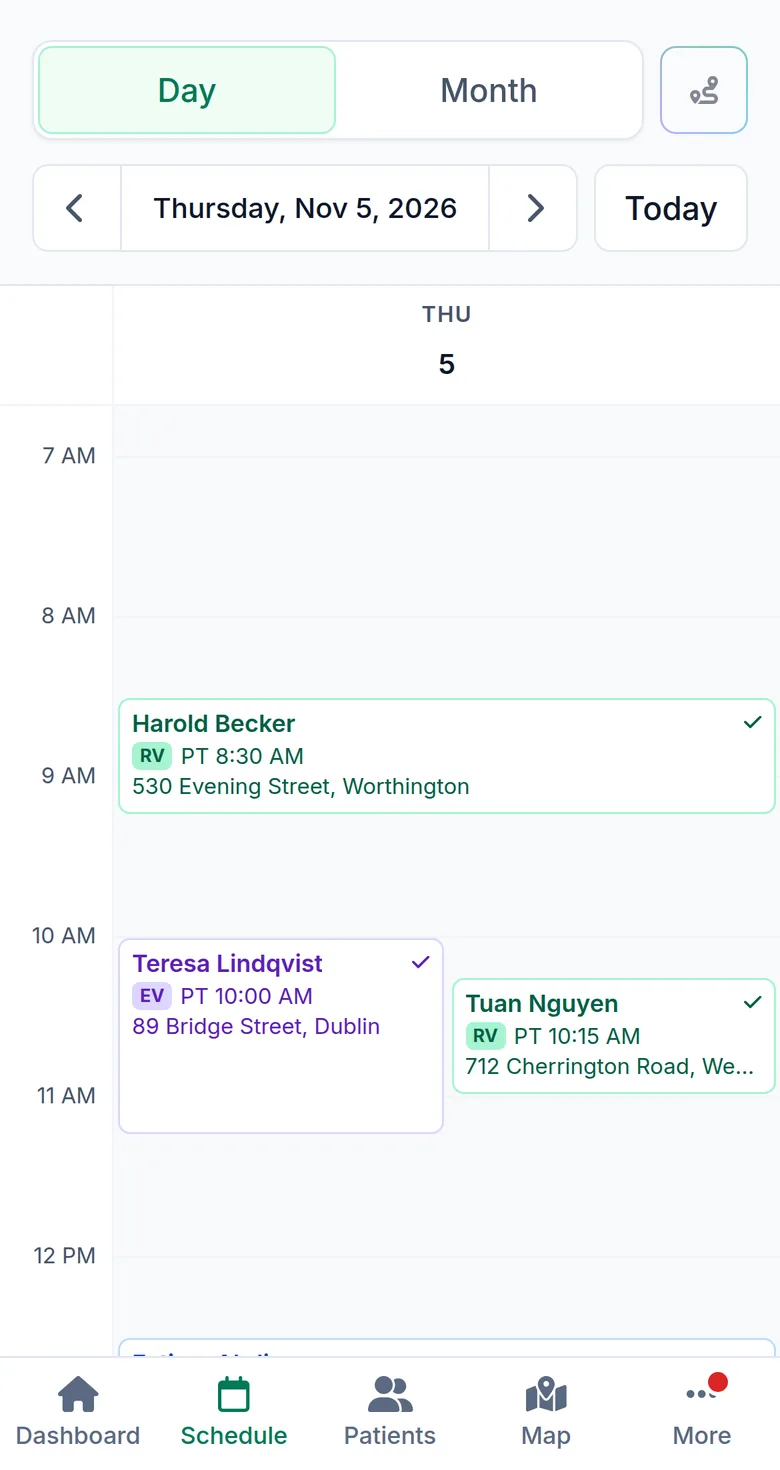
Logicly’s Schedule page on a phone, with Day and Month, the Optimize route icon and the day arrows above the visits.
The Schedule page on a phone. Sample data.

Ask a question

We reply within 24 hours.

support@logicly.ai